Application imageLinux x64 and ARM64
Docker media server
A media server that fits the way self-hosters already deploy.
Finetic ships an official compiled Linux image and maintained Docker Compose stack for x64 and ARM64 hosts. You can evaluate it beside an existing media server, mount the same library read-only and remove the stack without reorganising your files.
Pull the signed imageCompiled x64 or ARM64 server
CompleteStart PostgreSQLHealth-checked persistent database
Healthy03
Mount media read-onlyKeep existing libraries in place
Ready04
Start the 30-day trialOpen the graphical first-run wizard
Next- Server
- Public pre-release evaluation through Docker Compose
- Web client
- Available with the server
- Fire TV & Android
- Supervised device testing
- Paid launch
- Pricing and final terms pending
DatabasePostgreSQL 15
Media mountsRead-only supported
LifecycleHealth-checked Compose
Designed as a system, experienced as a product.
The technical depth remains available without turning the normal viewing experience into a server dashboard.
A complete Compose stack, not an isolated container command
The maintained deployment defines Finetic and PostgreSQL together, waits for the database health check, publishes only the application port and keeps the database on an internal Docker network.
Configuration, database data, artwork, transcode cache and backups use separate persistent volumes so container replacement does not reset the installation.
- PostgreSQL 15 with health-based startup ordering
- Separate durable volumes for data with different recovery needs
- Linux amd64 and arm64 application images
- Signed entitlement and compiled release verification material
Keep media read-only
Movie and television folders can be mounted below /media with read-only access. Finetic stores catalogue state, artwork and temporary playback output in its own volumes instead of writing into the source library. UID and GID settings let the runtime use an existing media-reader account.
Use the hardware already in your server
Optional Compose overrides cover Intel Quick Sync and Intel/AMD VAAPI through /dev/dri, plus NVIDIA acceleration through the NVIDIA Container Toolkit. An exposed encoder is treated as capability evidence; Finetic still verifies the backend during real playback.
Designed for Unraid, TrueNAS, Proxmox and ordinary Linux
The same Compose contract works on a maintained Docker Engine whether the host is a Linux server, a NAS platform or a dedicated VM or LXC guest. Network storage should be mounted by the host first and then passed into Finetic read-only, keeping SMB and NFS credentials outside the application container.
Upgrades and rollback remain explicit
A normal update pulls a newer signed image and recreates the application container while retaining named volumes. The public deployment guide documents pinned versions, PostgreSQL dumps, backup verification, rollback and restoration after complete container recreation.
Product evidence
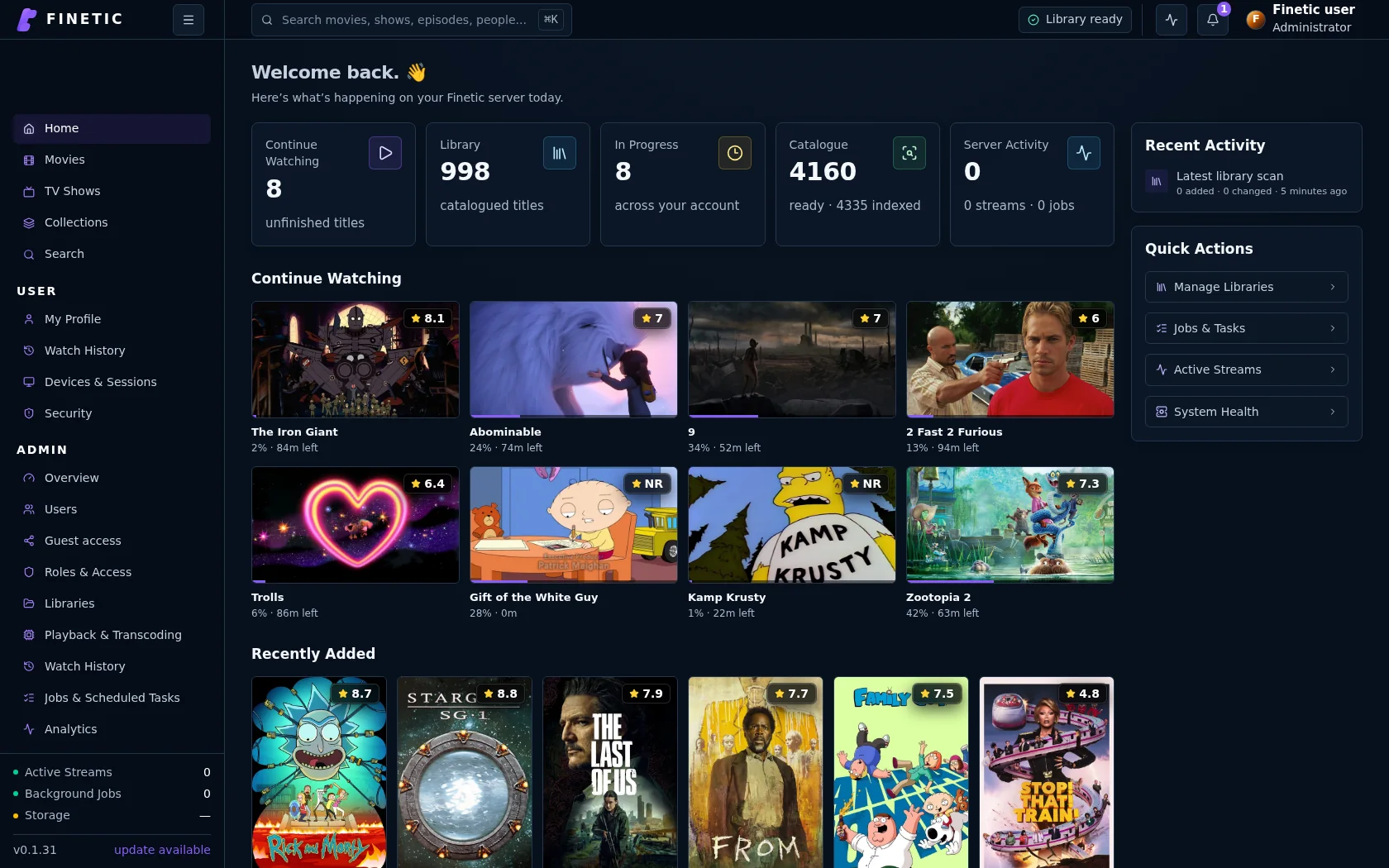
A container becomes a complete server.
Persistent application state, PostgreSQL and read-only media mounts lead into the same complete Finetic interface.
Complete 30-day evaluation
See whether Finetic earns a place in your home.
Install the compiled server with Docker Compose and evaluate every server feature. No card, automatic charge or source-repository access is required.