First choiceDirect Play
Hardware transcoding
Use the GPU only when the client actually needs conversion.
Finetic plans playback before starting FFmpeg. It prefers Direct Play, remux or audio-only conversion when those paths preserve compatible source video, and reserves full video transcoding for facts that require it.
Direct PlayOriginal streams RemuxCompatible video Audio onlyPreserve video TranscodeAdapt when required
Lowest valid cost selected- Server
- Public pre-release evaluation through Docker Compose
- Web client
- Available with the server
- Fire TV & Android
- Supervised device testing
- Paid launch
- Pricing and final terms pending
AccelerationIntel, AMD or NVIDIA
ProcessingLowest valid cost
VerificationObserved per session
Designed as a system, experienced as a product.
The technical depth remains available without turning the normal viewing experience into a server dashboard.
Start with the lowest valid processing cost
The planner combines container, codec, profile, level, bit depth, selected audio, selected subtitles, HDR, requested quality and reported client limits. Its result is one explicit delivery method rather than a collection of client-side guesses.
- Direct Play preserves the original container and streams
- Remux preserves compatible streams in a safer container
- Audio conversion preserves compatible source video
- Video transcode adapts unsupported video, quality or HDR
Intel, AMD and NVIDIA deployment paths
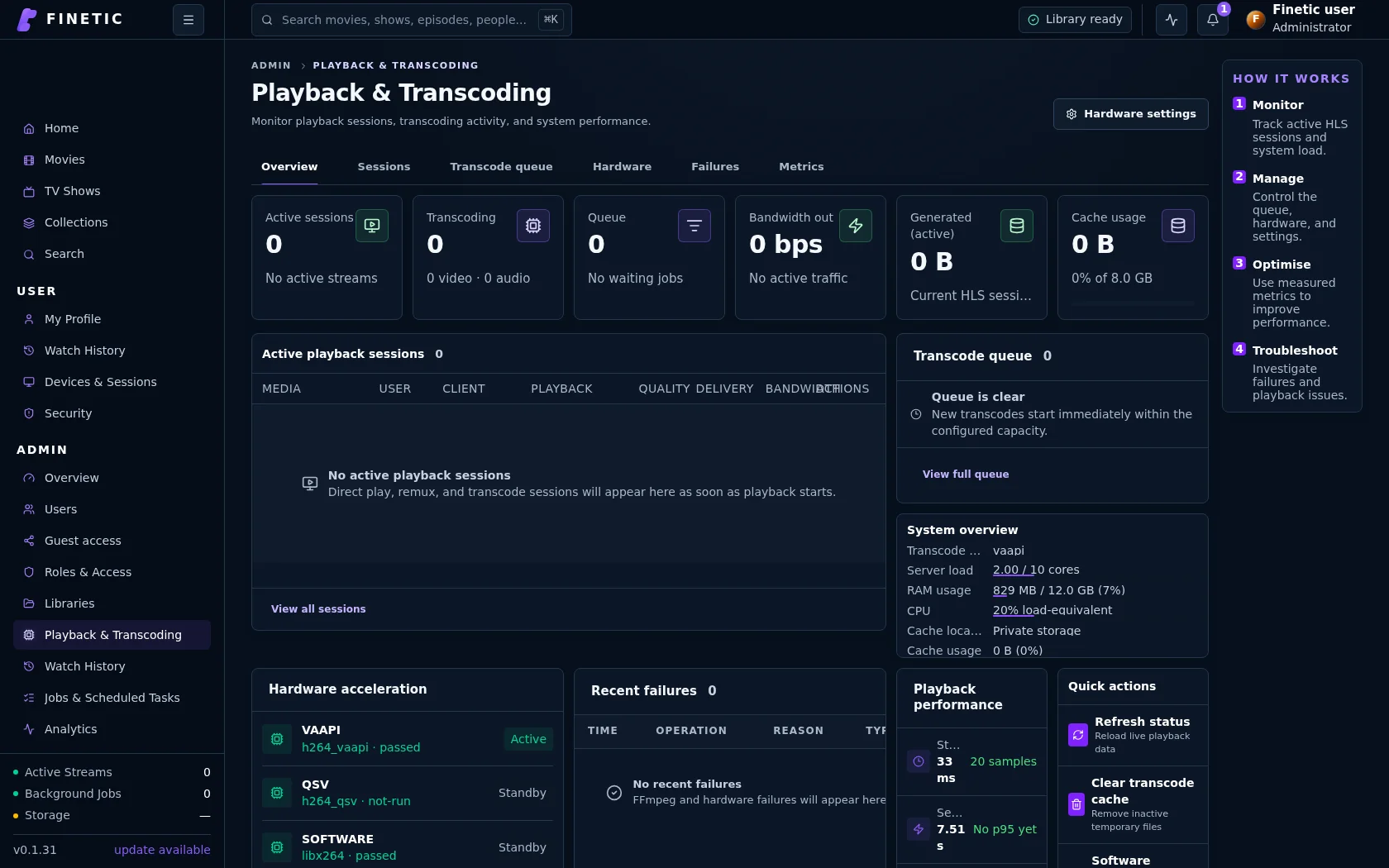
The maintained Docker deployment documents Intel Quick Sync, Intel and AMD VAAPI, and NVIDIA NVENC/NVDEC access. Device nodes, group permissions and vendor runtimes remain host responsibilities; Finetic reports the selected backend during playback.
Hardware availability is not the same as hardware verification
Listing an FFmpeg encoder proves that software can see it, not that a real stream used it correctly. Finetic distinguishes configured, available and observed backends so administrators can verify GPU use against an active session.
Subtitles and HDR can change the plan
Text subtitles may be delivered separately when the client supports them. Image subtitles or unsupported styling can require burn-in, which forces video conversion. HDR-to-SDR tone mapping likewise requires a compatible decode, filter and encode path and should be verified on an SDR display.
Diagnostics explain expensive sessions
Playback and transcoding views expose source codecs, selected tracks, output facts, backend, bandwidth, queue state and plan reason codes. This lets an administrator distinguish a genuine compatibility requirement from an incorrect capability report or deployment problem.
Product evidence
Hardware use needs evidence.
Inspect the chosen delivery method, codec facts, backend and session state instead of assuming an exposed encoder was used.
Complete 30-day evaluation
See whether Finetic earns a place in your home.
Install the compiled server with Docker Compose and evaluate every server feature. No card, automatic charge or source-repository access is required.