How playback planning works
Understand how Finetic chooses Direct Play, remux, audio conversion or video transcoding from source facts and real client capabilities.
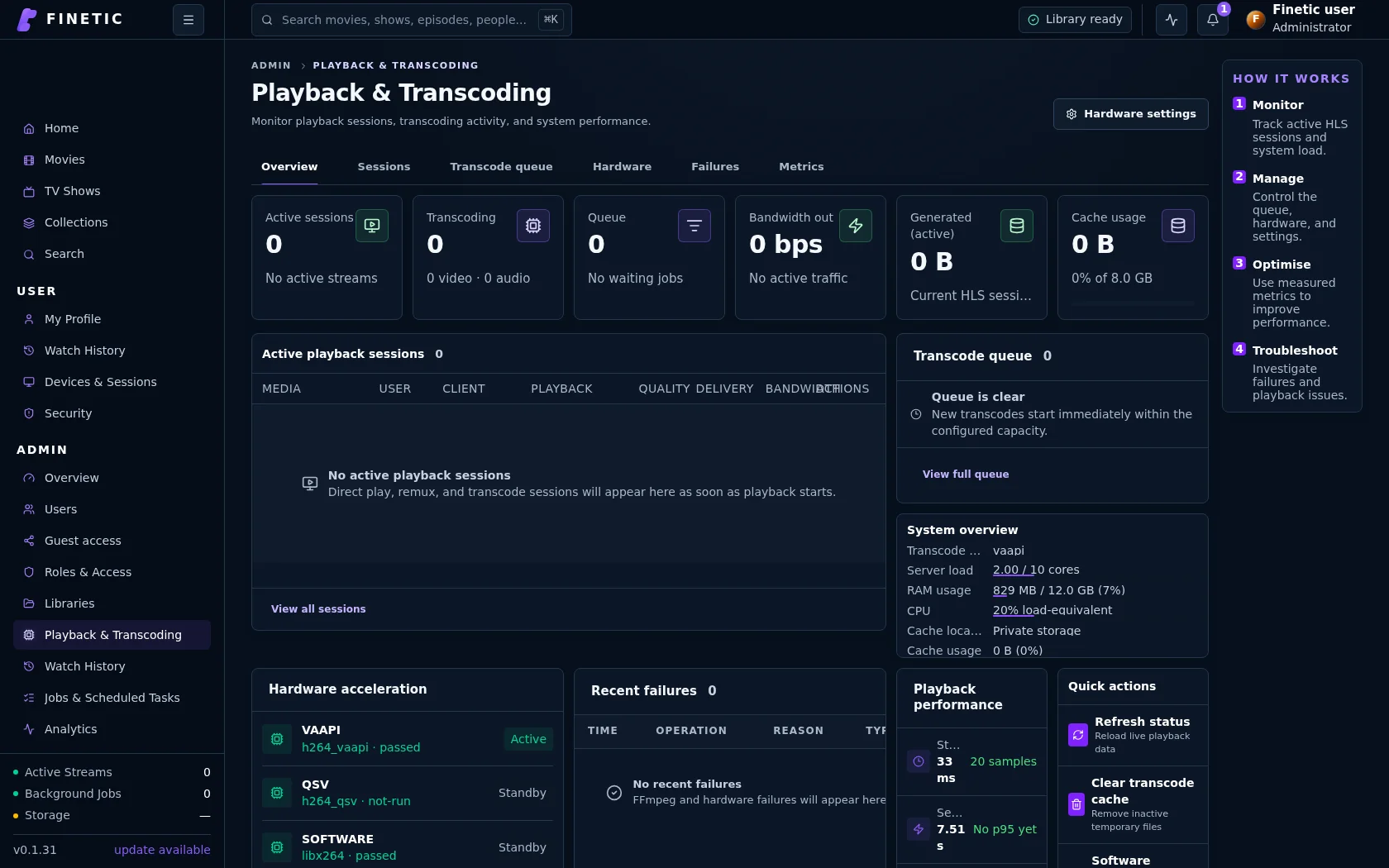 1Live delivery method2Hardware and queue evidence
The authoritative decision#
The client reports what it can decode and present. The server probes what the file actually contains. Finetic combines both sets of facts with selected tracks and user quality preferences to produce one playback plan.
Source probe + selected tracks + client capabilities + preferences
                              |
              choose the least expensive valid path
       Direct Play | Remux | Audio conversion | Video transcode
Direct Play#
Direct Play serves the original file when its container, video, audio and selected subtitle path are safe for the client. Proper HTTP byte ranges allow browsers and native players to seek without downloading the whole title.
Direct Play is not always the correct goal. A nominally supported codec can still exceed a client's profile, level, bit depth, channel or HDR capability.
Remux#
Remux preserves compatible encoded streams but packages them into a browser-safe fragmented MP4 HLS presentation. It avoids video decoding and is normally far lighter than transcoding.
Finetic publishes one stable absolute VOD timeline. Segments are generated and cached on demand using real random-access points so seeking does not depend on a moving public timeline.
Audio-only conversion#
If video is compatible but the selected audio format or channel layout is not, Finetic copies the video and converts only audio. This protects quality and reduces CPU use.
Full transcode#
Video conversion is required when the codec/profile, resolution, bitrate, HDR presentation or burn-in subtitle cannot be delivered safely. The resource governor prioritises active playback over optional background analysis.
Subtitles affect the plan#
Text subtitles can often be extracted and converted to WebVTT on demand. Styled ASS and image-based PGS may require burn-in when the client cannot render them. Ordinary default subtitles remain off unless the user enables them; automatic forced-subtitle selection must be language-aware.
Quality preferences#
A maximum bitrate or resolution can force transcoding even when Direct Play is technically possible. Automatic quality uses the server plan and, for adaptive output, measured client conditions. “Original” means no user-imposed cap—not a promise that every original stream is compatible.
Evidence available to administrators#
Playback & Transcoding shows the method, container, codecs, resolution, selected backend, generated bytes, queue state and reason codes. This evidence should agree with the player diagnostic.
Continue with Audio, subtitles, quality and HDR or use Playback troubleshooting when the observed path is unexpected.