Playback troubleshooting
Diagnose slow starts, buffering, blank video, failed segments, subtitle problems and seeking issues using safe Finetic diagnostics.
 1Start with the session2Inspect evidence
Start with the symptom#
Do not assume every playback problem is transcoding. Identify whether the failure occurs while resolving a source, loading a manifest, fetching a segment, decoding a frame or transitioning to another episode.
Slow start#
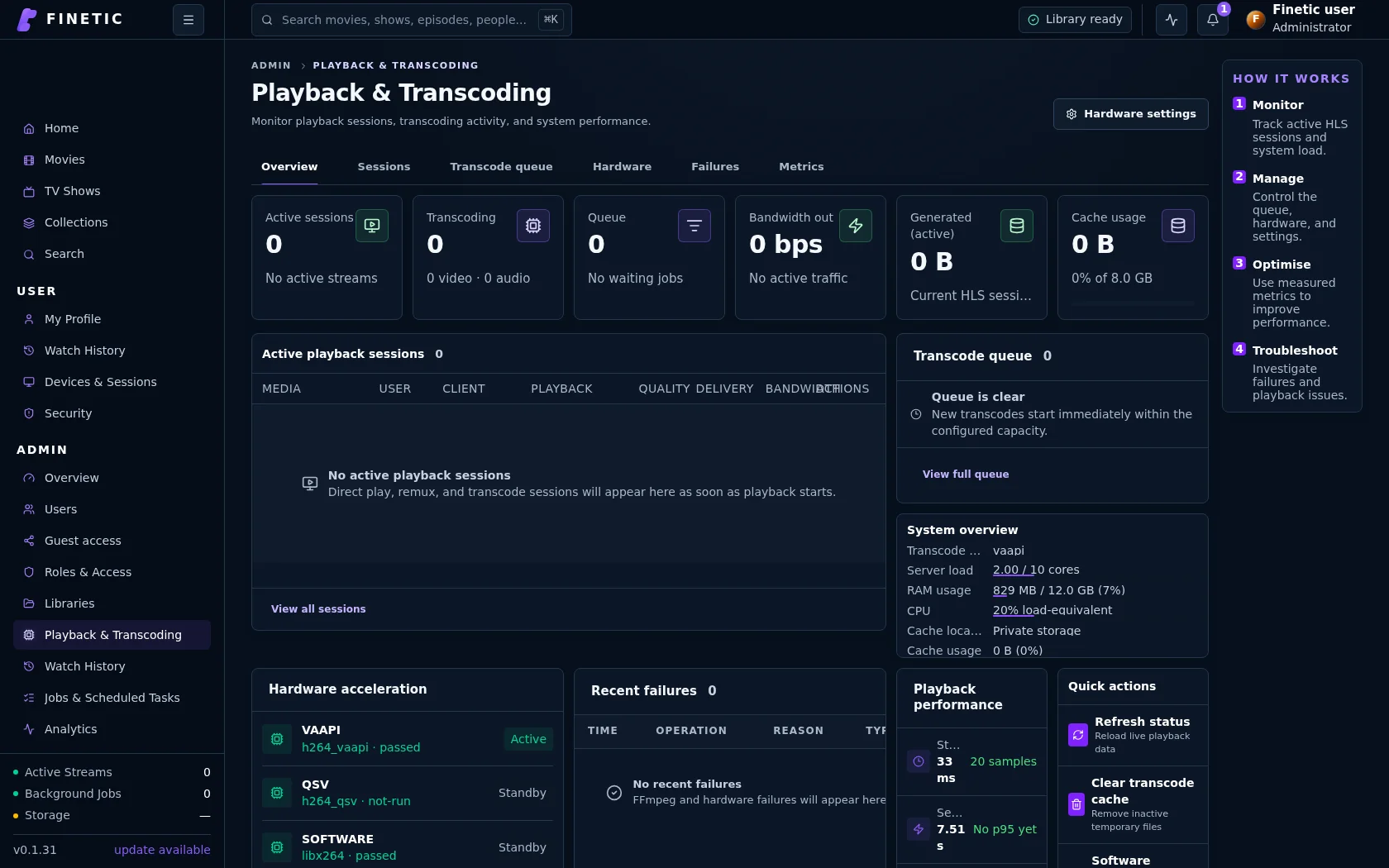
- Open Playback & Transcoding and identify the selected method.
- For Direct Play, inspect storage latency and the first byte-range request.
- For remux, check whether the requested segment is generated or waiting.
- For transcode, inspect queue position, hardware backend and first-frame time.
- Pause optional scans if CPU or disk is saturated.
A minute-long start is not acceptable merely because a transcode eventually succeeds. The diagnostic should distinguish queue time, packaging time and client decode time.
Buffering during Direct Play#
Compare delivered bitrate with sustainable network throughput. Verify that the proxy preserves byte ranges and does not stall large responses. A browser may report a demuxer data-source error when the connection disappears even though the codec is valid.
Audio plays but video is blank#
If the tab is hidden, browsers may suspend presented-frame callbacks. Finetic's first-frame watchdog measures visible active playback time and must not replace a healthy session solely because the document is hidden.
When the tab is visible, capture resolution, ready state, decoded/dropped frames and the last media request. A genuine decoder failure may require remux or transcode despite optimistic browser capability reporting.
Playback repeats or jumps backwards#
Stable HLS uses one absolute timeline. Repeated audio or a jump to an earlier phrase can indicate overlapping segment timestamps, incorrect keyframe boundaries or a stale source being reattached. Record the exact wall-clock time and media position.
Seeking fails#
Confirm the full runtime is advertised and the requested position is within the engine's seek range. Direct files require reliable byte ranges. Remux seeks require indexed random-access points and deterministic segment numbering.
Subtitles are missing or will not turn off#
Check whether the current delivery is a sidecar text track or burn-in. Sidecar cues can be inspected independently. Burn-in requires a new source without the subtitle filter when disabled.
Next episode does not start#
Verify that the current episode completed, a real next episode exists, and the queue crosses season boundaries correctly. The previous activity session must be finalised without reusing its source for the next episode.
Error categories#
| Category | Boundary |
|---|---|
| Source unavailable | Source resolution or authorisation failed |
| Manifest failed | HLS presentation could not be loaded |
| Segment failed | A media asset request or pipeline failed |
| Decoder failed | The client could not present the delivered streams |
| Session missing | The referenced server session no longer exists |
Use Copy diagnostic code and include what you selected immediately before failure. See Diagnostics and support.