HTTPSTrusted certificate
Remote access guide
Remote media access is a route, not a single open port.
Successful remote playback depends on every layer between a client and the home server. A homepage loading over HTTPS proves less than it appears: seeking, adaptive manifests, segments, live updates and guest access may use different request patterns.
FINETIC ACCESSExplicit boundaries
Local media remains local.
A
AdministratorLibraries and server controls
Full accessH
HouseholdAssigned libraries and own history
ScopedG
GuestOne shared title until expiry
Expiring- Server
- Public pre-release evaluation through Docker Compose
- Web client
- Available with the server
- Fire TV & Android
- Supervised device testing
- Paid launch
- Pricing and final terms pending
Proxy routeRanges, HLS and sockets
Guest accessScoped and expiring
EvidenceChecked from outside
From source facts to a dependable system.
Each guide connects the visible outcome to the playback, infrastructure and recovery decisions underneath it.
Start with a stable public hostname and trusted HTTPS
Use a hostname you control, publish an address that resolves to the correct internet connection and obtain a certificate covering that exact hostname. Clients should never be taught to ignore certificate errors. Keep the application behind authenticated routes and expose only the proxy ports required for HTTPS.
Understand the path through NAT and the proxy
The router or firewall must forward the intended public connection to the reverse proxy without exposing management services. The proxy must preserve the original host and scheme, forward client identity safely and support long-lived or upgraded connections. Avoid publishing a private, loopback or unstable address as the server’s external identity.
Test media semantics, not only HTML
Direct-file seeking relies on Range requests and correct 206 Partial Content responses. HLS requires manifests and segments to remain reachable with the right content types and credentials. WebSockets or server-sent events may carry live state. Test these behaviours through the exact public hostname from outside the home network.
- DNS resolves to the intended public endpoint
- TLS chain, hostname and expiry validate independently
- A bounded byte range returns Content-Range correctly
- HLS manifest and one safe segment request succeed
- WebSocket upgrade and a non-media guest probe succeed
Distinguish server, network and diagnostic-service failures
A failed external checker does not always mean the home server is unreachable. Retain the failing area, endpoint, HTTP or TLS evidence, response timing and whether local health passed. This prevents an unavailable diagnostic service from being misreported as a broken customer certificate.
Keep remote access maintainable
Renew certificates automatically, schedule outside-home checks, alert administrators before expiry or breakage, protect accounts with strong credentials and revoke unused sessions. Guest links should be scoped, expiring, rate-limited and removable without granting general server access.
Product evidence
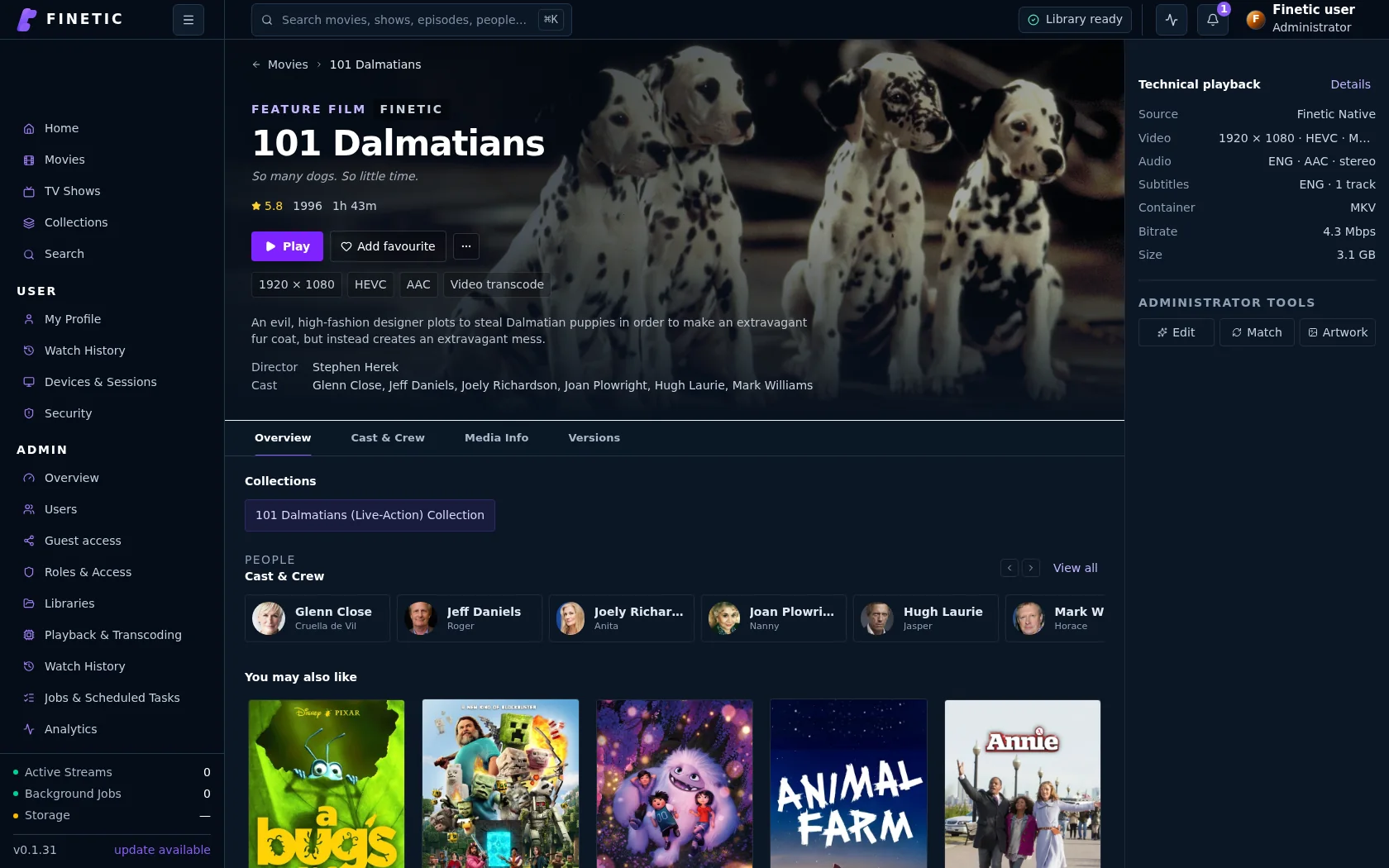
Remote playback begins with the same complete product.
The public route must preserve authentication, title access, seeking and playback delivery—not merely return the homepage.
Practical self-hosting guides
Move from the playback decision to the hardware, public route and recovery boundary behind it.
PlaybackDirect Play vs remux vs transcoding
Understand what each path changes and why files that look compatible may still need conversion.
Read guide HardwareChoose media-server hardwareSize CPU, GPU, memory, storage and networking around real simultaneous workloads.
Read guide Remote accessVerify the complete public routeConnect DNS, HTTPS, NAT, byte ranges, HLS and WebSockets without exposing management services.
You are here SecurityProtect a self-hosted media serverUse explicit accounts, bounded sharing, verified updates, safe diagnostics and tested recovery.
Read guideComplete 30-day evaluation
See whether Finetic earns a place in your home.
Install the compiled server with Docker Compose and evaluate every server feature. No card, automatic charge or source-repository access is required.